Update·
A new look for Skyscrap
We’ve redesigned every menu, the HUD and the touch controls, so the game is clearer at a glance and easier to read mid-fight. Here’s what changed, with screenshots from before and after.
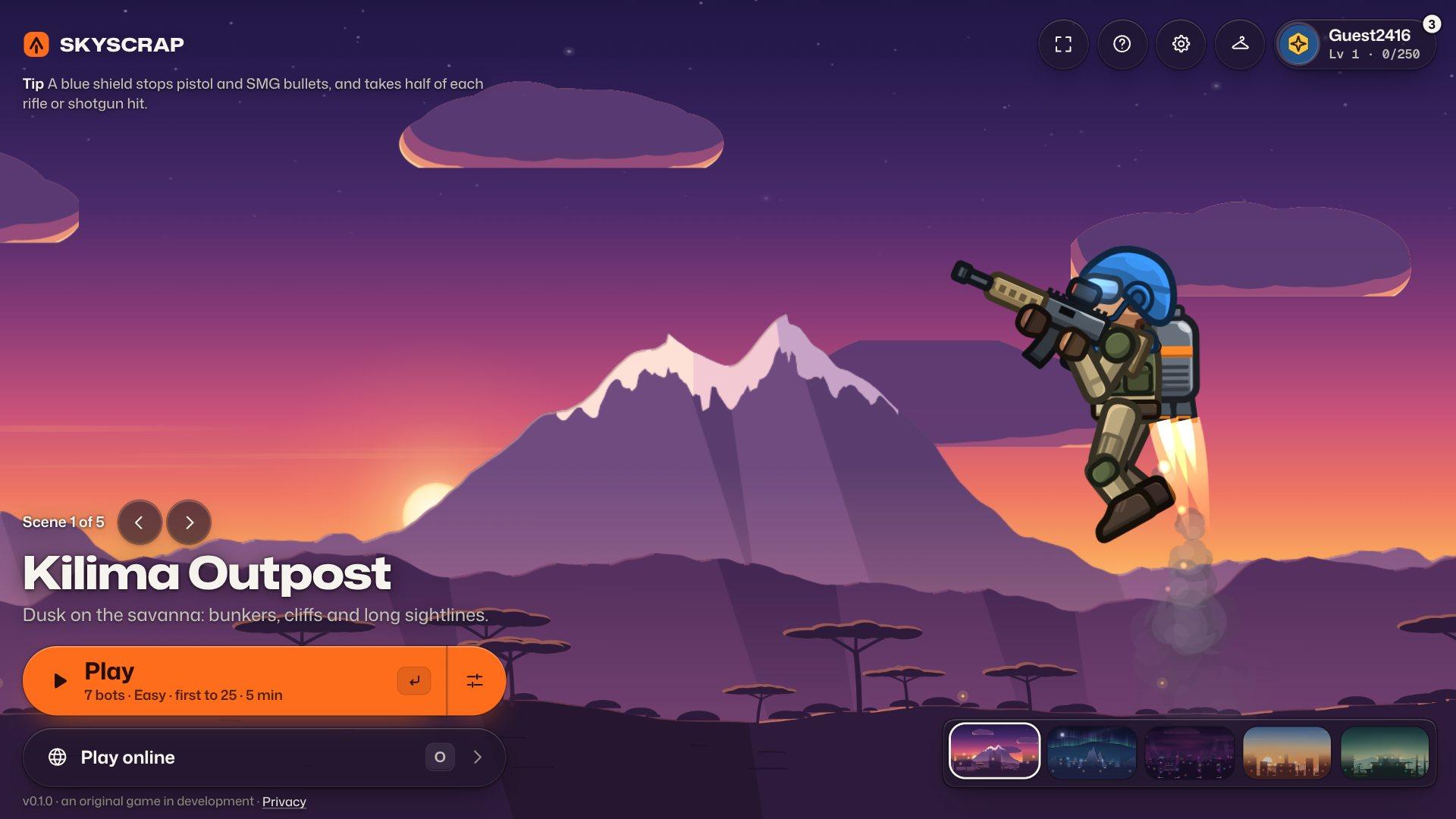
Skyscrap has a new look. Every menu, the HUD you play with and the touch controls have been redesigned, so the game is clearer at a glance and easier to read in the middle of a fight. It’s live now on phones and computers: if you have the game open, reload it to get the new version.
The title screen
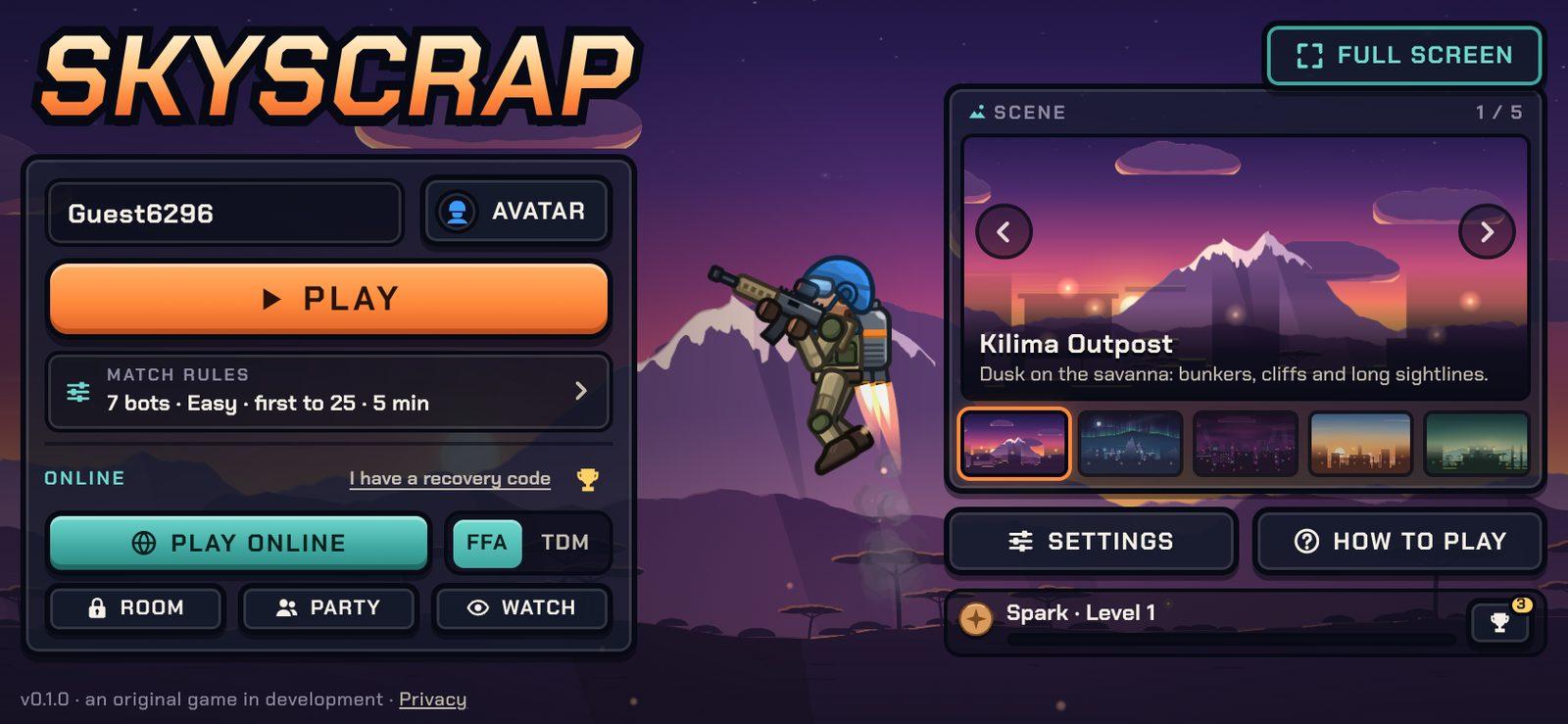
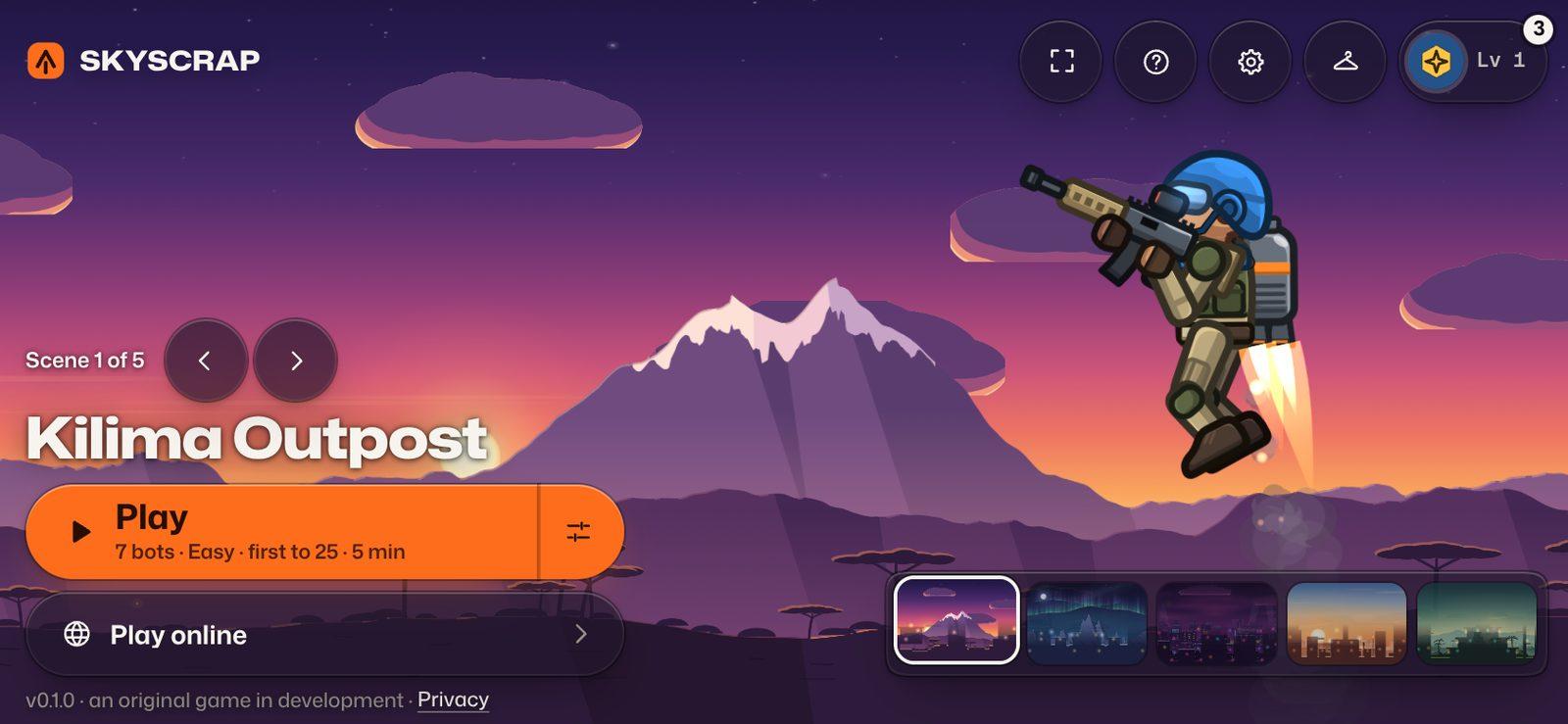
The arena now fills the screen. Play starts a match straight away, and the button on its right opens match setup. Quick play, private rooms, parties and watching a match are together under Play online.
In a match
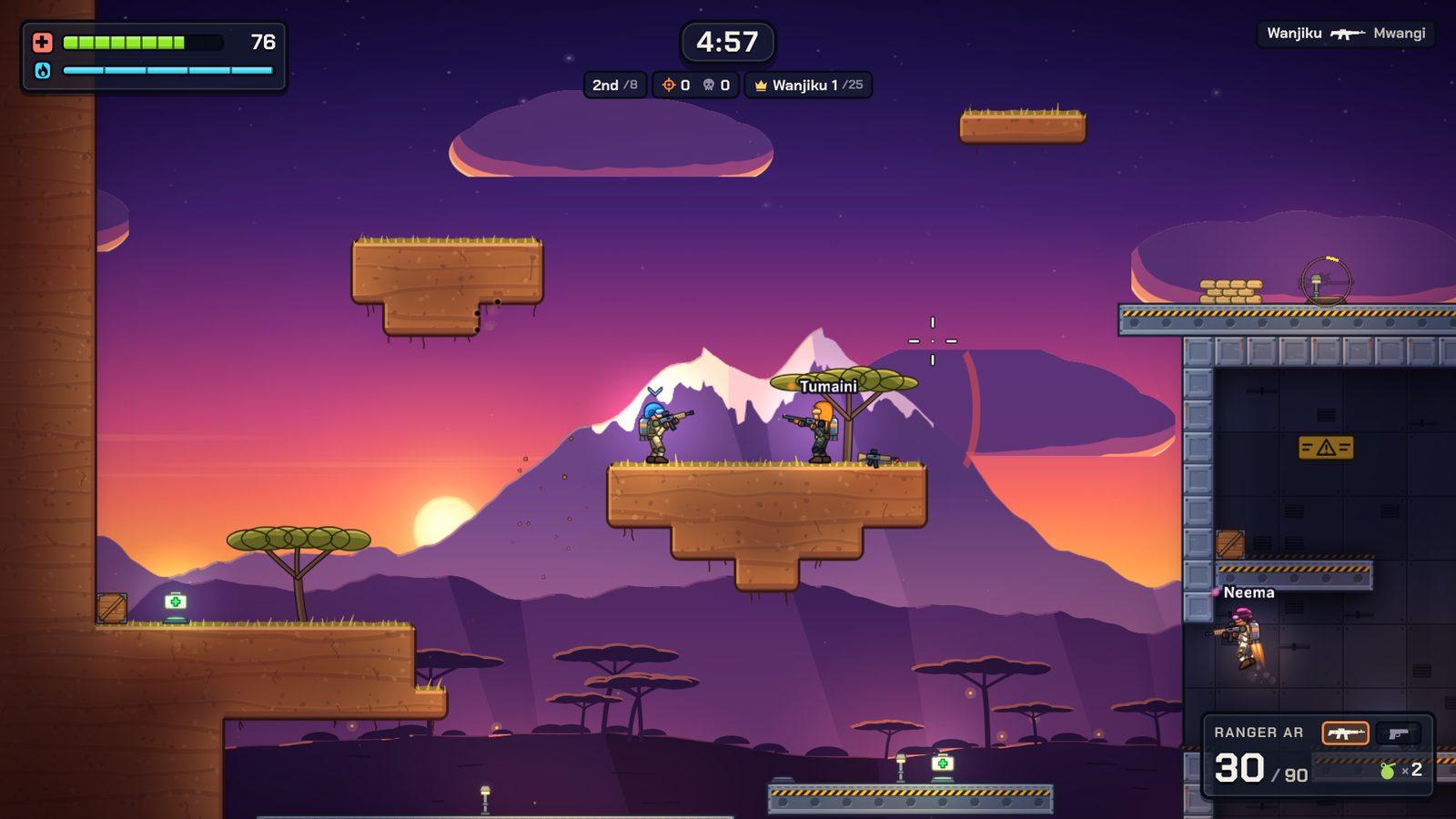
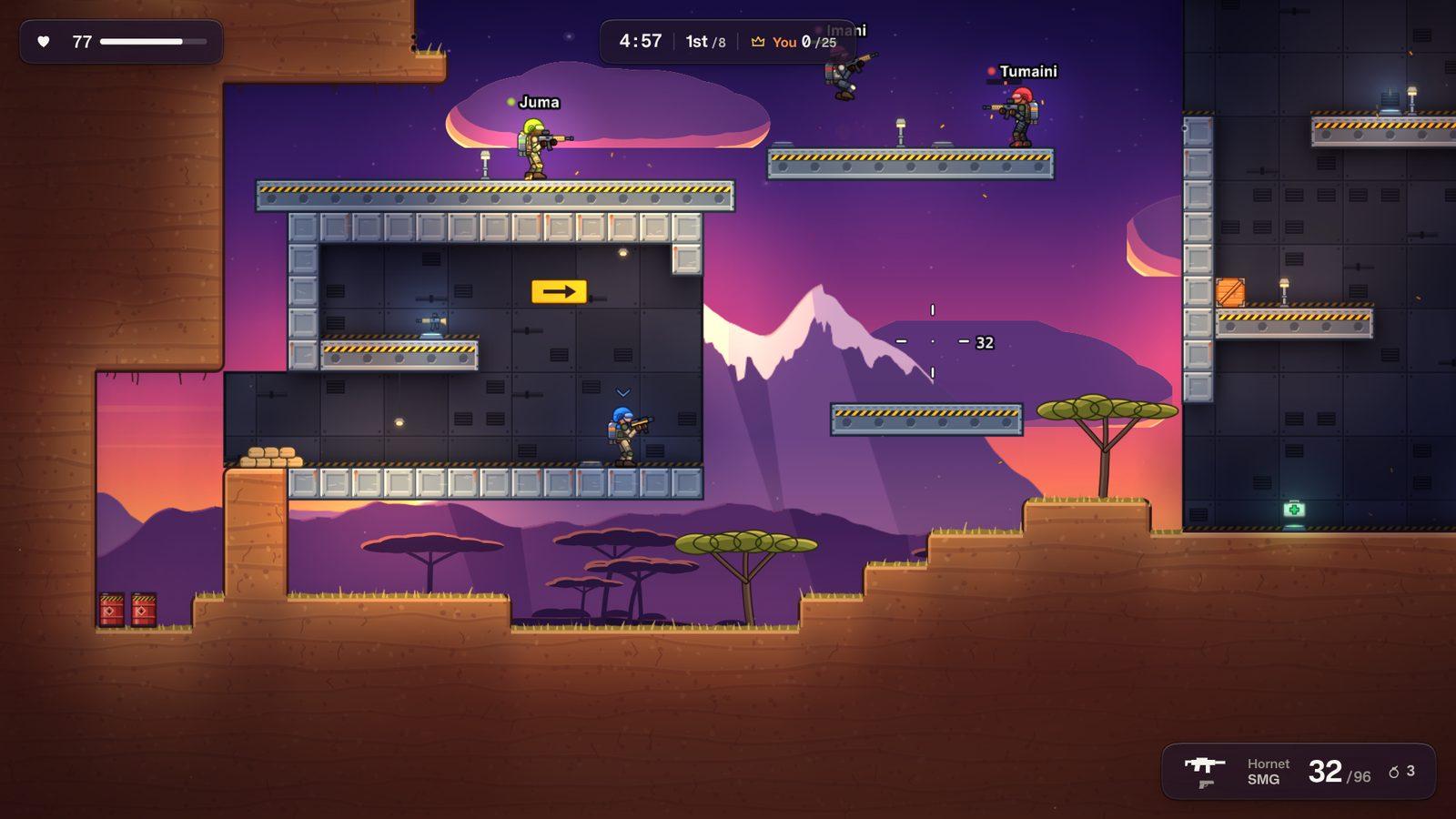
The clock, your place and your score now share one bar at the top of the screen, and that’s where announcements appear too, such as a kill streak, taking the lead or the last minute. Hold Tab on a computer, or Back on a controller, to see the standings.
Your fuel gauge has moved next to your soldier. It appears when you fly and fades once the tank is full again; to keep it on screen, choose Always under Settings, HUD.
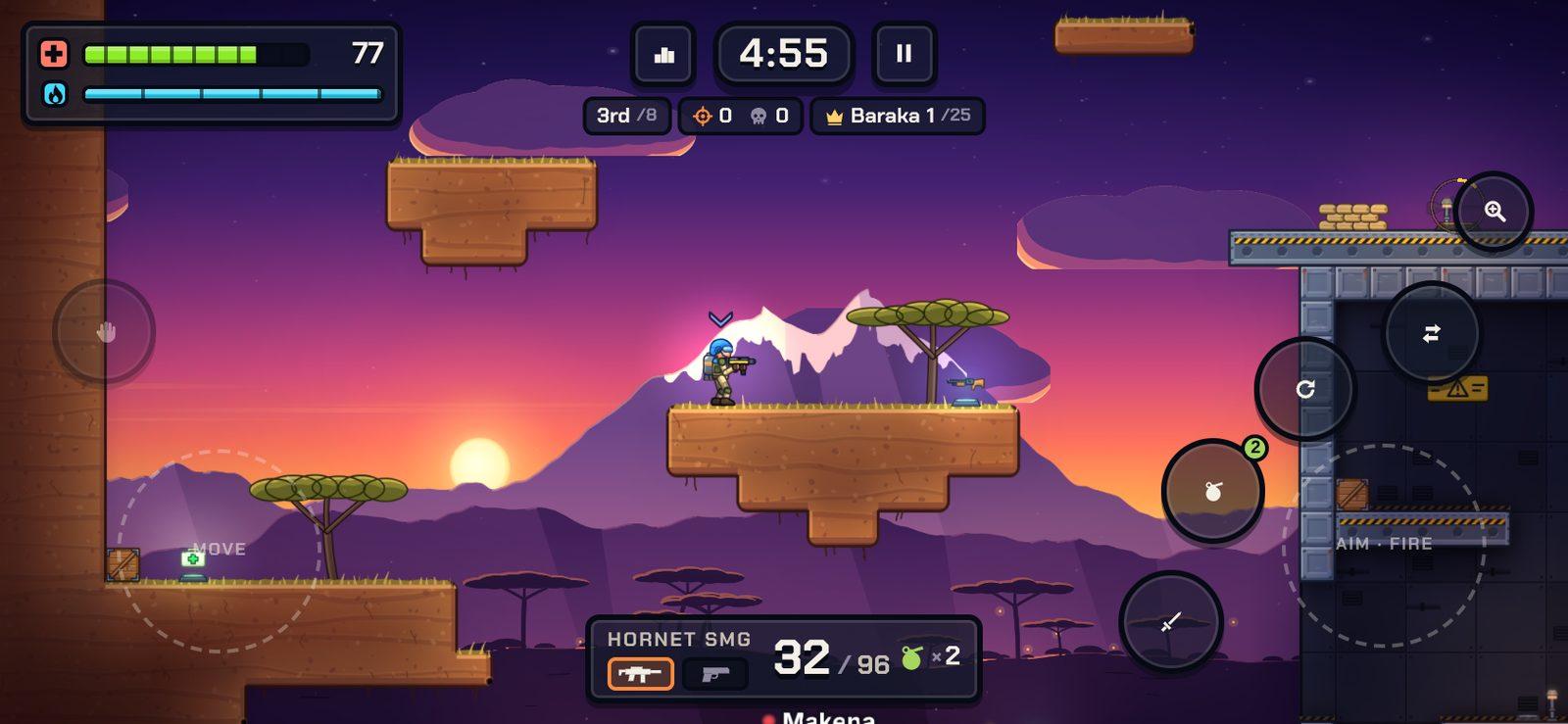
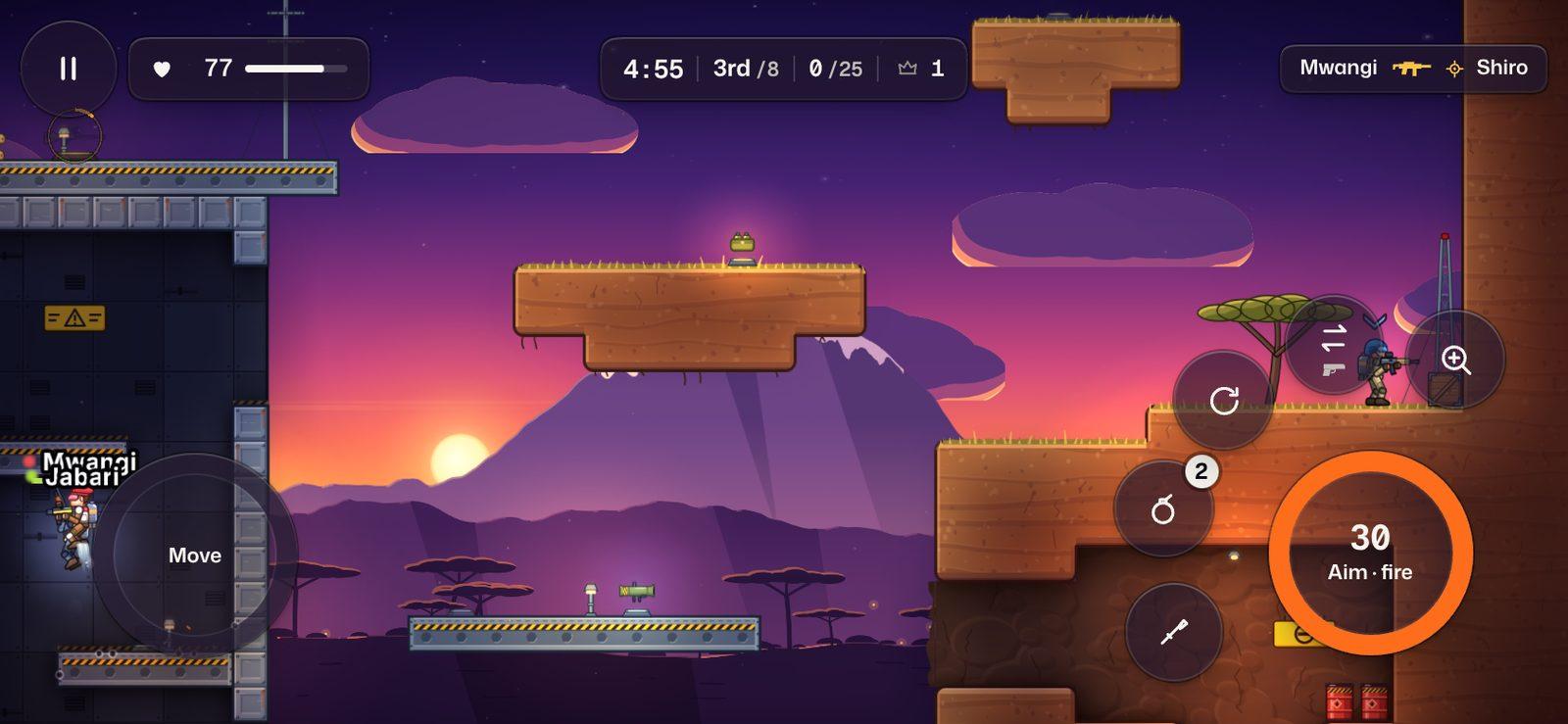
On your phone
Melee, grenade, reload, switch weapon and zoom now sit in one ring around the aim stick, so your thumb always knows where they are. Ghost and the Longbow’s scope appear beside the ring only when you can use them. To see the standings, tap the bar at the top.
Pause and results
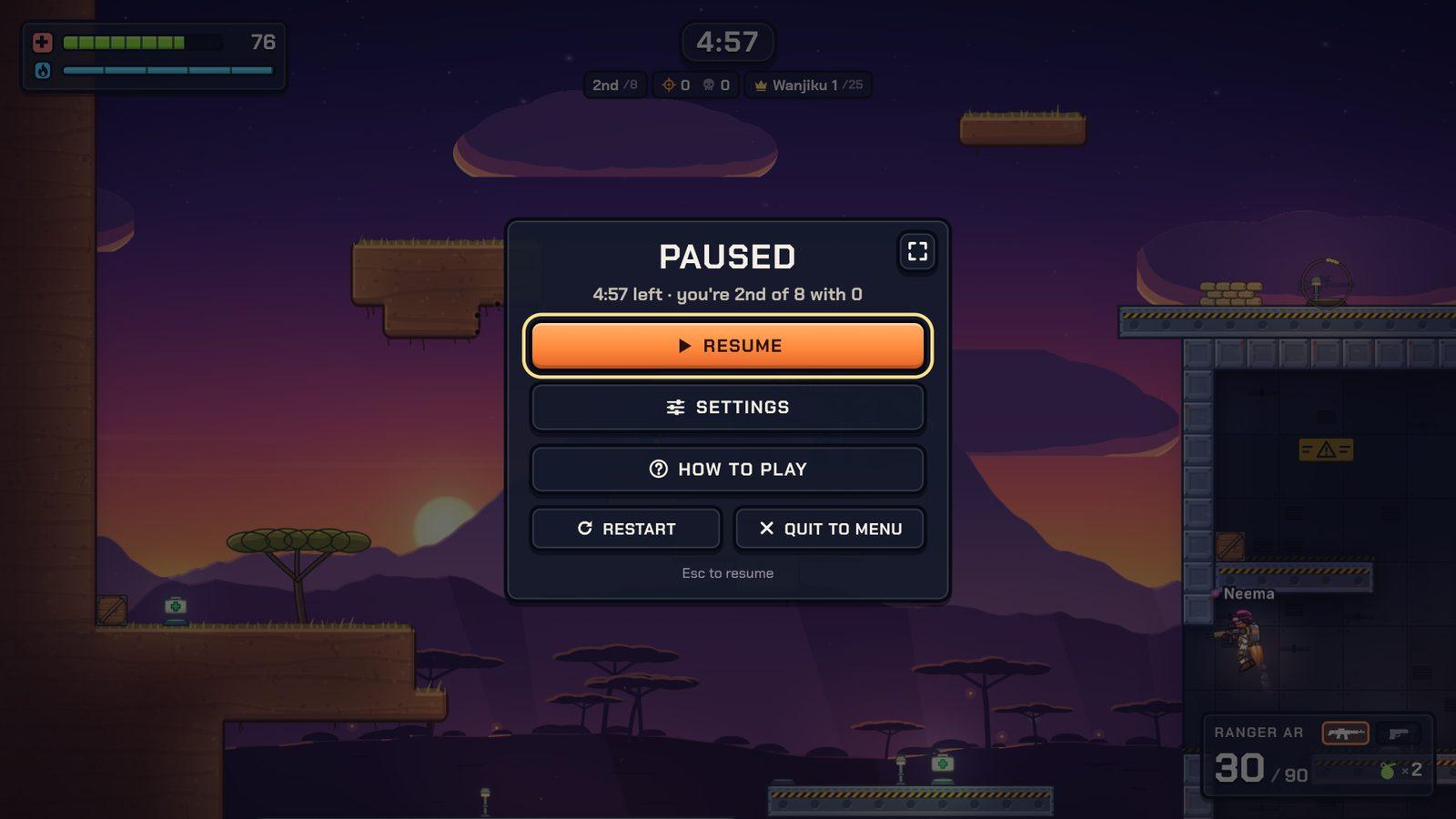
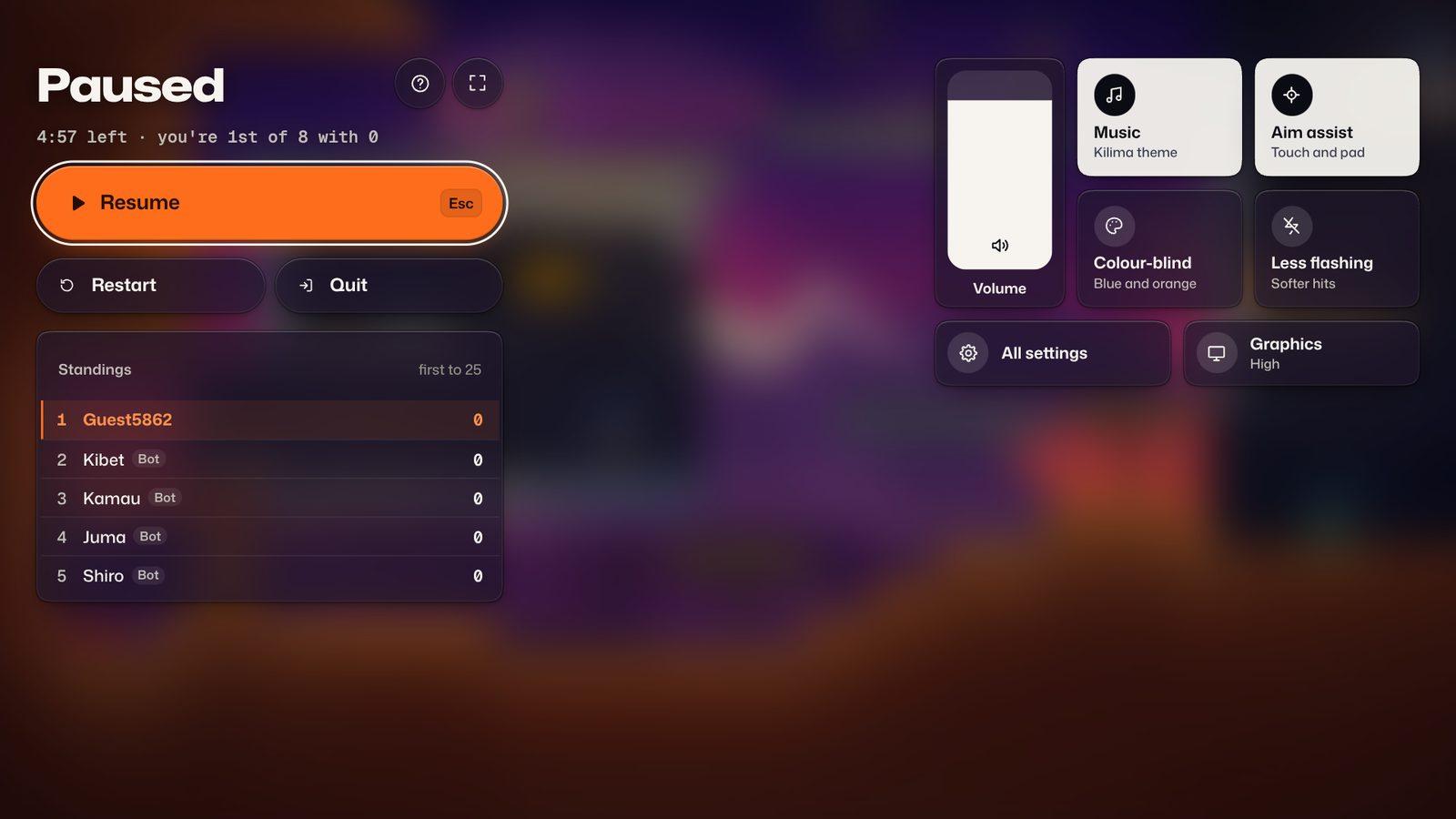
Pause now brings the standings and quick settings together on one screen, from volume and music to aim assist and colour-blind mode. Restart and Quit ask you to hold the button, or press it twice, so a stray tap can’t end a match.
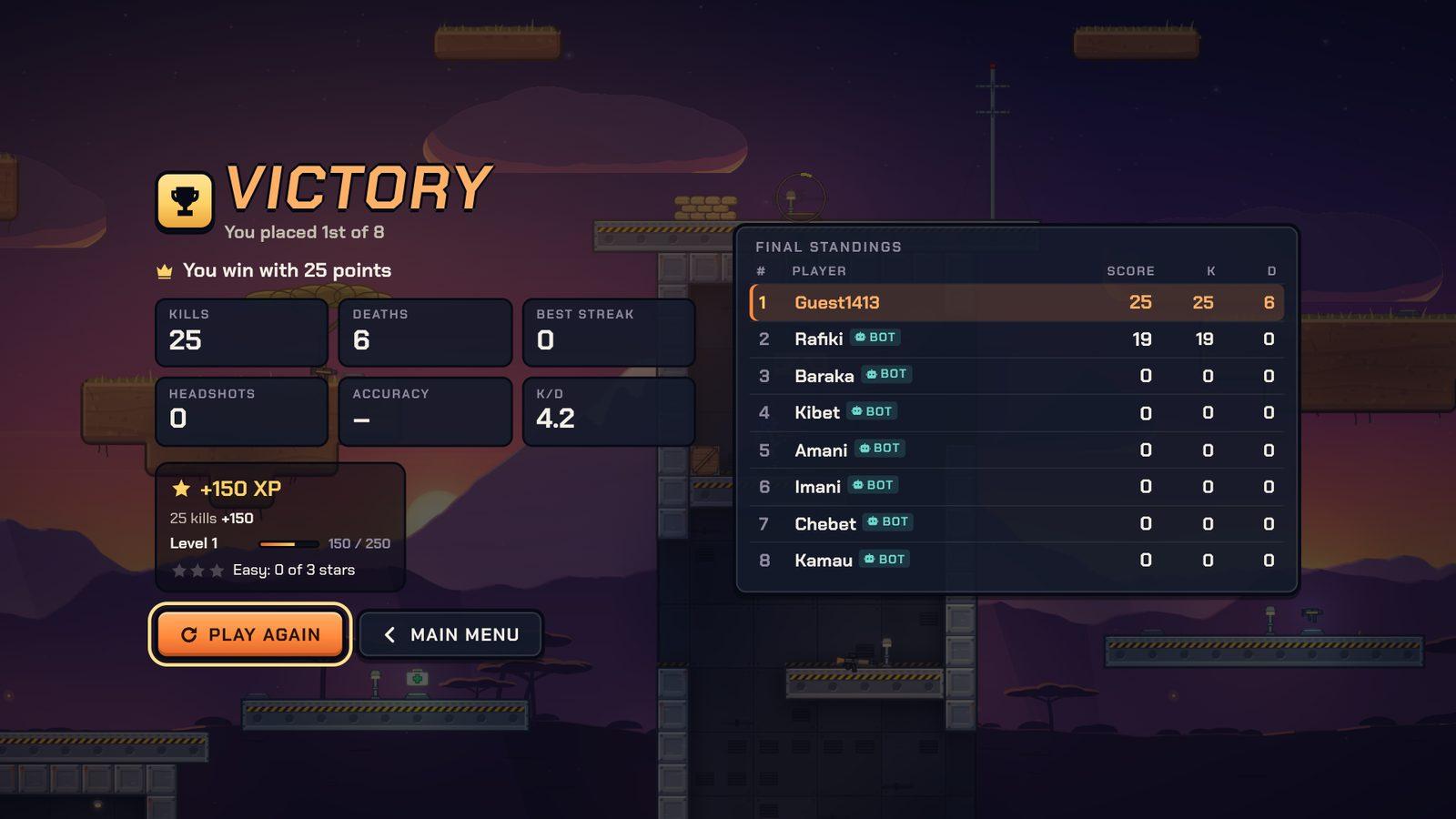
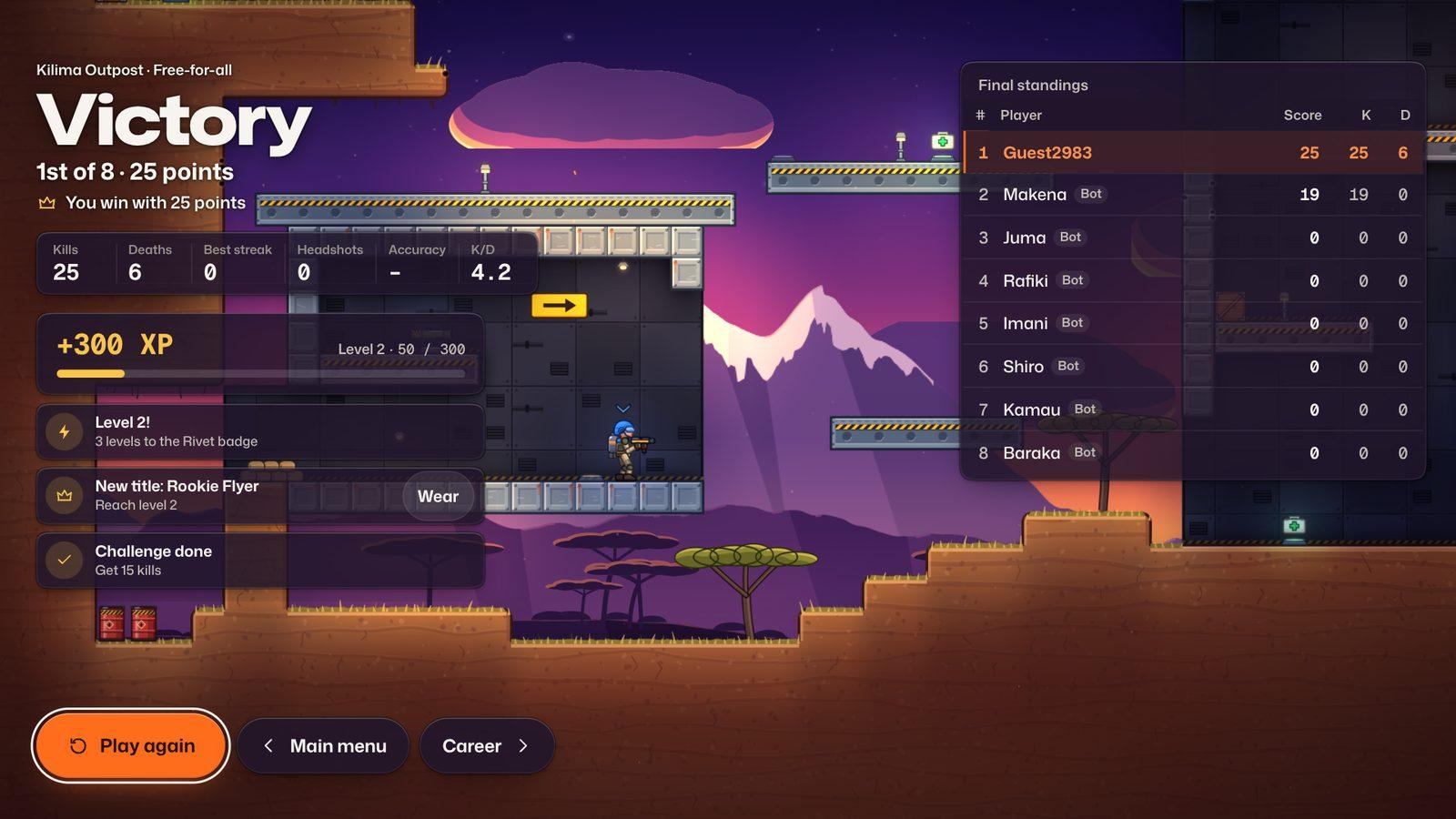
After a match, the result comes first, then what you earned, then the standings and the way to your next match.
Settings to suit you
Two new settings sit under Display: Motion, where Reduced swaps movement for short fades, and High contrast, which makes every panel solid. On Android phones and controllers, the game can also vibrate on your shots, hits and kills; set how strongly, or turn it off, under Controls.
The same game
None of this changes how Skyscrap plays: the weapons, arenas, bots and keys are exactly as they were, and your callsign, avatar, settings and career are just as you left them.
Play at play.skyscrap.fun, and tell us what you think through Support.