Update·
Your phone is now a controller
Play Skyscrap on your laptop’s big screen with your phone as the controller: no app, no gamepad, just a code to scan. And in party mode, up to four friends play together on one screen, a phone each.
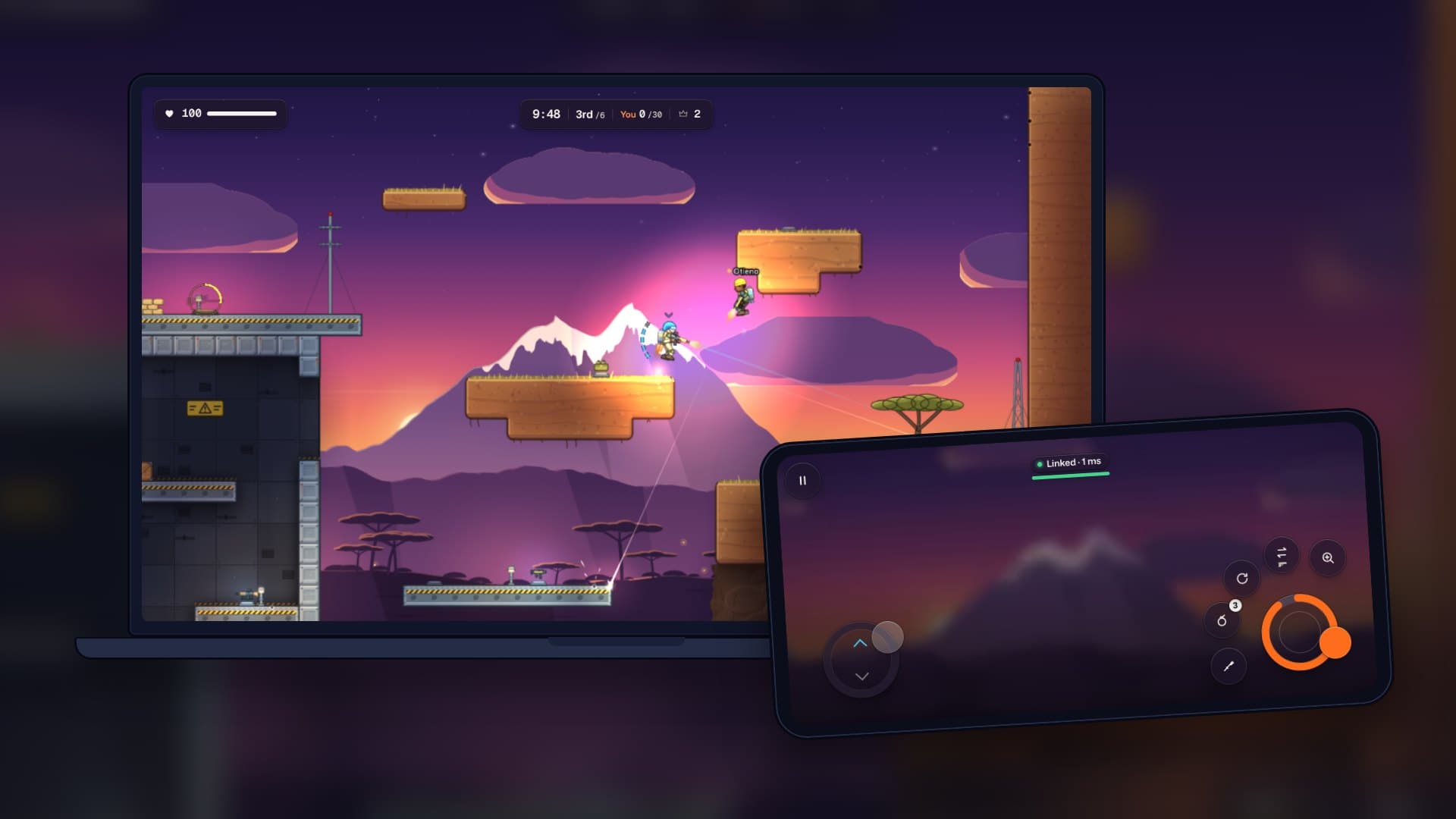
Your phone can now be the controller for Skyscrap on a laptop or desktop: the big screen there, the game’s touch controls in your hands. There’s no app to install and no gamepad to buy. And with party mode, up to four friends can play together on one screen, each on their own phone. It’s live now, in beta: if you have the game open on your laptop, reload it to get it.
Link your phone
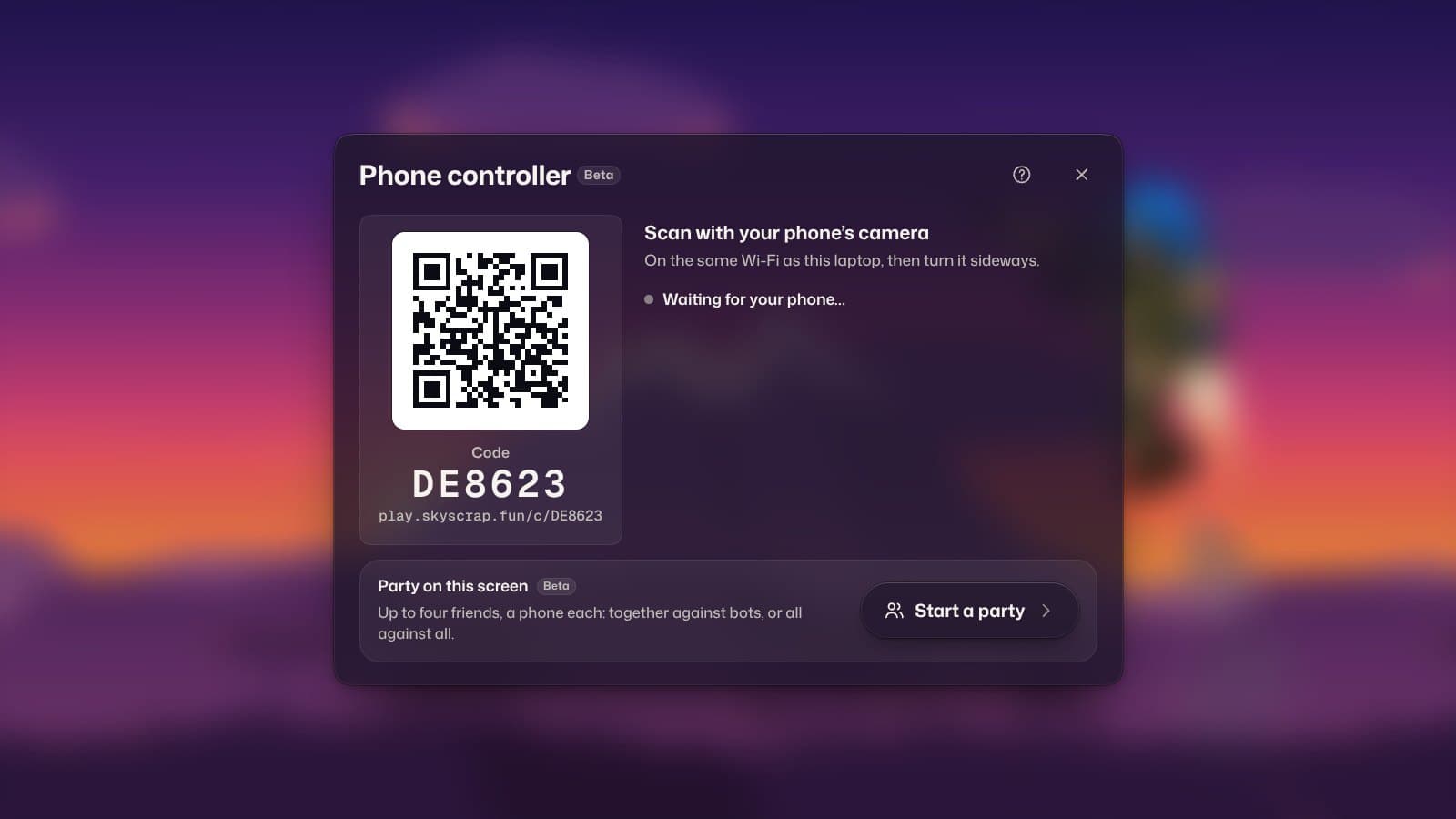
- On your laptop, open the game and click the phone icon (Phone controller) at the top right of the title screen. It’s also in Settings, under Controls, and in the pause menu.
- On your phone, point the camera at the code and open the link. Your phone needs to be on the same Wi-Fi as your laptop.
- Turn your phone sideways, and you’re ready to play.
What your phone does
In a match, your phone shows the same touch controls as when you play on a phone: the move and aim sticks, the ring of actions, Ghost and the Longbow’s scope, with your health at the top. On Android it vibrates as you fire, take hits and score kills.
In the menus, it’s a remote. The arrows, OK and Back work the laptop’s menus, from match setup to the results, where you pick what’s next.
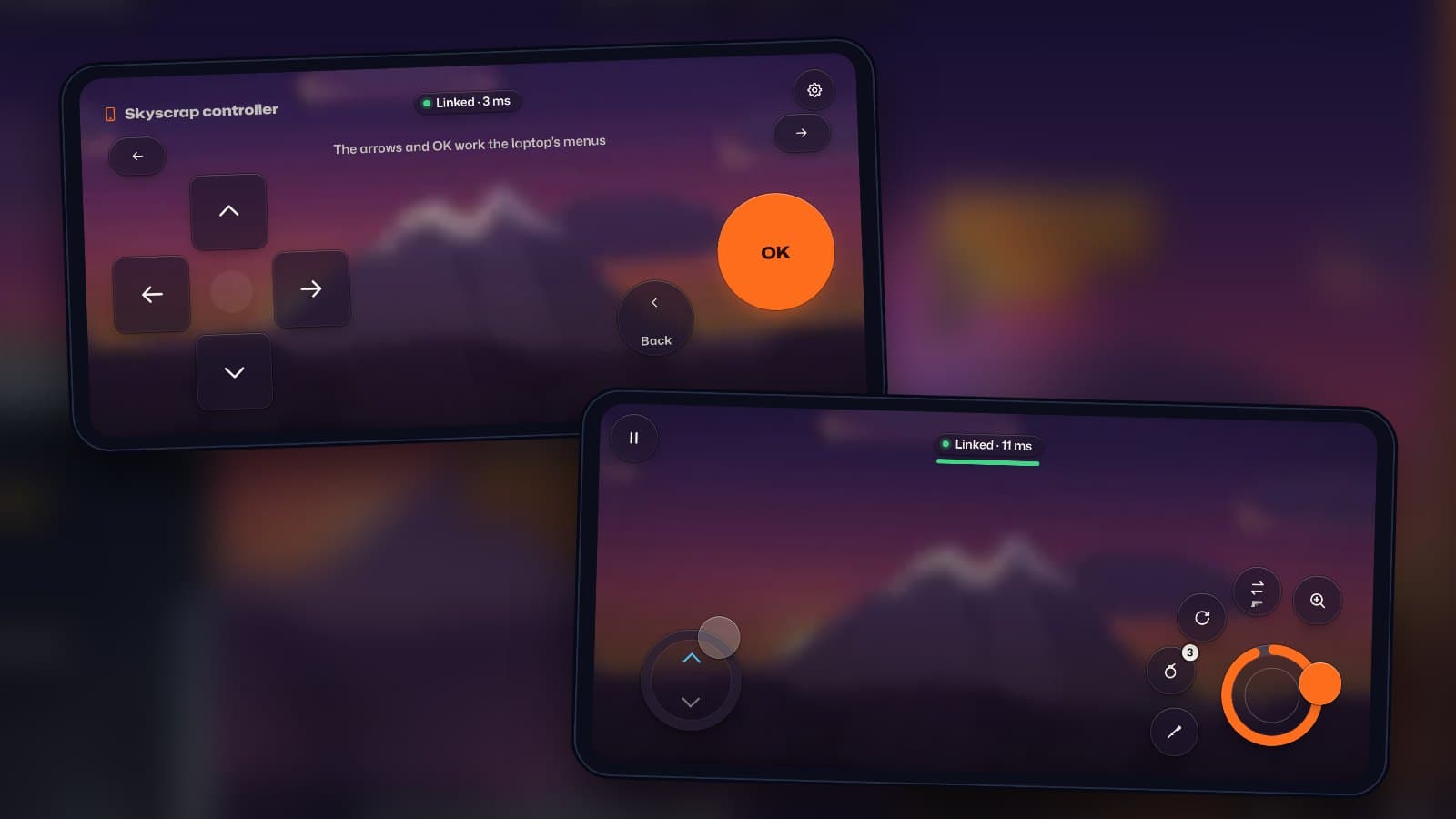
The gear at the top holds the controller’s settings: your callsign, left-handed controls and their size, vibration, full screen on Android, and the gyro scope. With the gyro scope on, turn your phone a little, like a steering wheel, to fine-tune your aim while the Longbow is scoped. Your laptop’s keyboard, mouse and controller keep working too.
Next time, no code
Once your phone has linked, it remembers your laptop. Add the controller to your phone’s Home Screen, and next time just open it from there: it finds your laptop by itself whenever Skyscrap is open on it. On an iPhone, the Home Screen icon asks for the code once, the first time.
If your phone drops in the middle of a match, say because it locked or you walked out of range, a match against bots pauses while it links again by itself. Press OK to carry on. Online, matches don’t pause, so your soldier stands still until your phone is back.
Party mode: four players, one screen
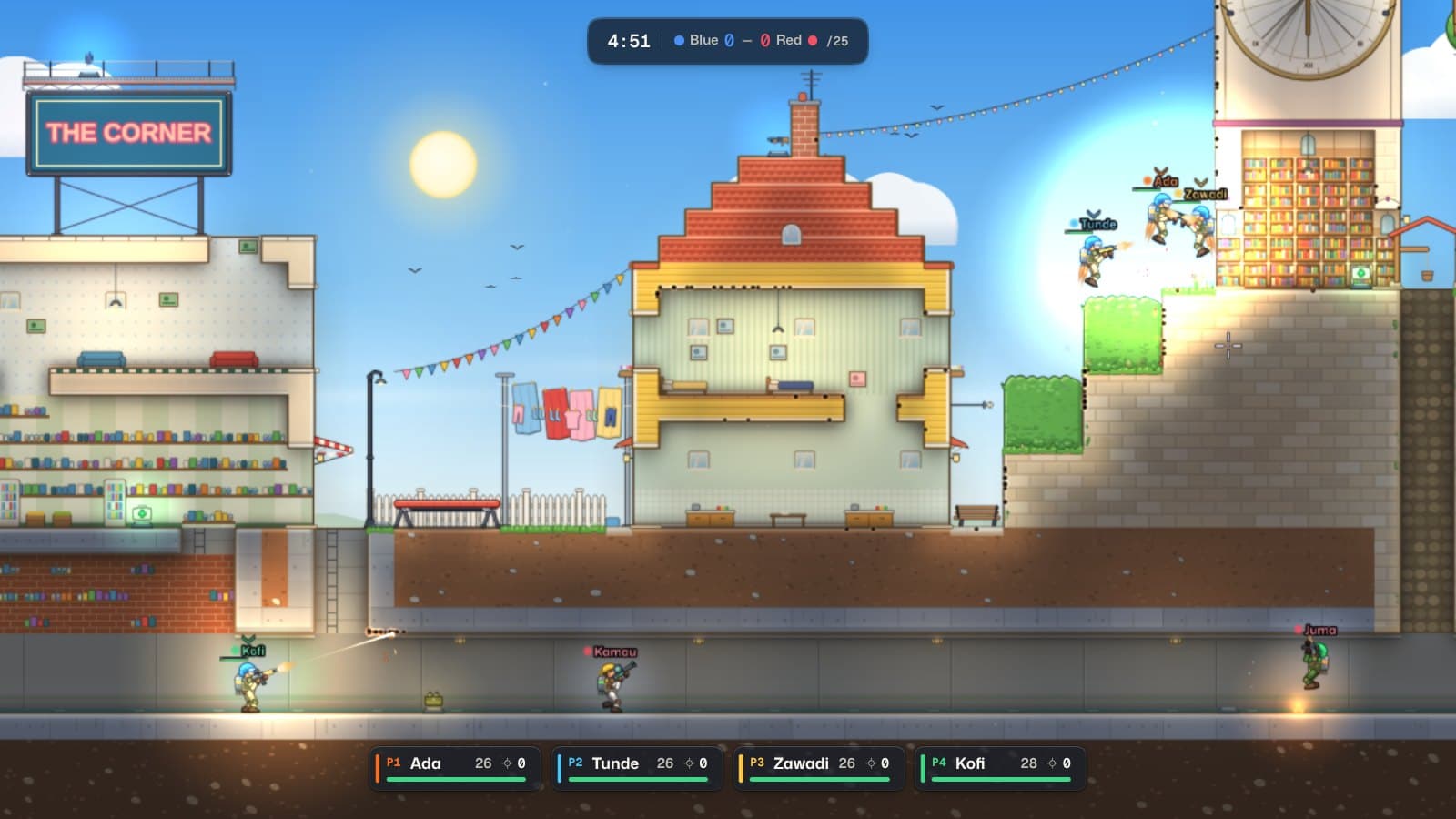
Click Start a party, in the same window as the code. Friends join by scanning the party’s code with their phones: up to four players, each in their own colour. One of the four can play on the laptop’s keyboard, mouse or controller instead.
Play Friends vs bots, all of you on one team, or Free for all. Pick the arena, the bots’ level, kills to win, minutes and how many soldiers there are, and bots fill the empty seats. One camera keeps everyone in view, and any phone can pause the match. If someone’s phone drops, the match pauses; carry on, and a bot plays their seat until they’re back. Party matches don’t count toward your career.
Where it works
Your phone and laptop need to be on the same network: your home Wi-Fi, for example, or the laptop on your phone’s hotspot. Guest, school and office Wi-Fi, and VPNs, often keep devices apart; if a phone can’t link there, use a phone’s hotspot instead. An iPhone can’t be the controller over its own hotspot, though: use another phone on that hotspot, or put both on the same Wi-Fi. If a phone can’t link, it tells you why and what to try.
Once linked, your controls go straight from your phone to your laptop over your own network. They never pass through our servers, and they use no mobile data. Our privacy policy says what our servers see when your phone links.
Play it
Open play.skyscrap.fun on your laptop and click the phone icon. The phone controller is in beta, so tell us how it works on your phone and your network through Support.